recipe · discovery sweep
Angry IP Scanner from zero to CSV
Five steps, one table, one export file. This is the whole tutorial — anything longer would be padding.
checked 15 september 2026 · v3.9.x · free & open source
The concept, uncompressed
A sweep tool asks every address in a range the same few questions: alive? named? MAC known? ports open? Answers land in a grid. There is no service, no agent, no residue — close the window and it never happened. That blank-slate quality is why it remains the default recommendation nine years running.
The recipe
-
Set the range
Hit the IP button to copy your own subnet into the range field. A home LAN is a single /24 — 254 addresses, done in seconds. Larger ranges mostly produce waiting.
-
Pick fetchers
Tools → Fetchers: add MAC Address and Ports if you want those columns. Each enabled fetcher adds sweep time; enable only what you will read.
-
Sweep
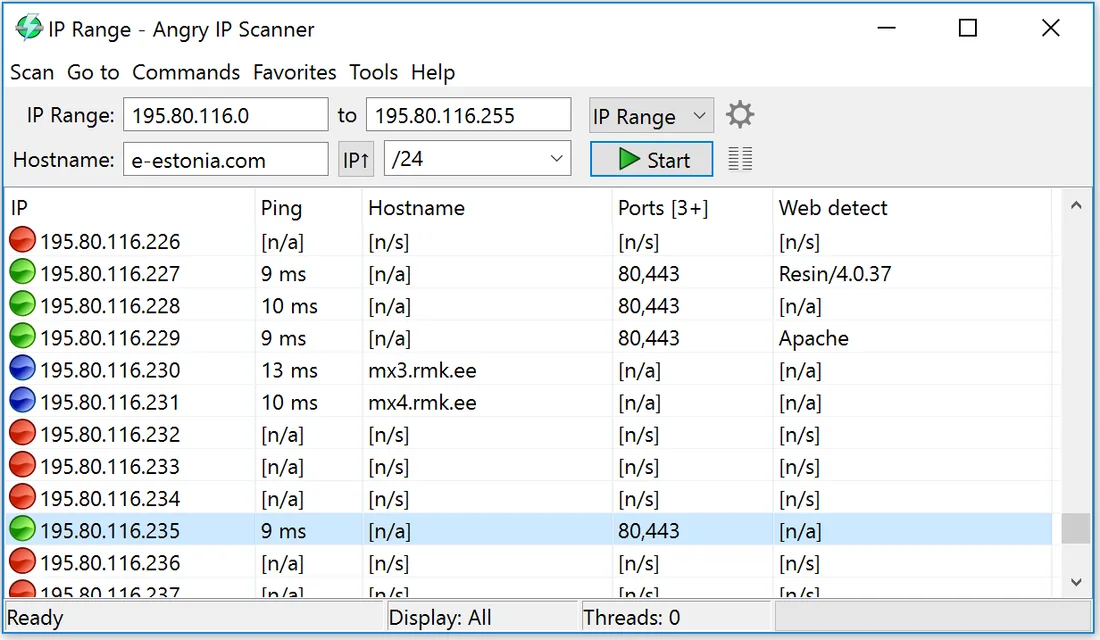
Press start. The bar fills; the status line eventually states how many hosts replied and how many ports surfaced. Those two numbers are the payload.
-
Read like an admin
Values in a row: live host.
[n/a]: asked, nothing returned.[n/s]: never answered ping, so nothing was asked. An expected device stuck on[n/s]is a phone saving power or a firewall clamping down — check which before panicking. -
Export for later
Scan → Export all, choose CSV, name it by date. Twelve files in December is a year of network history; the inventory method explains what to do with them.
Per-OS notes
Windows: runtime bundled, install and go.
macOS: unsigned image — right-click → Open once to pass
Gatekeeper. Linux: distro package or the .jar on
Java 11+.
Recurring questions
Does it need Java installed?
Windows and macOS builds carry their own runtime. Linux: use a package, or ensure Java 11+ for the jar.
Can it detect devices that block ping?
Indirectly — such hosts show [n/s], but their traffic still
populates your ARP table. Full stealth discovery needs an ARP-aware approach,
which is a different tool class.
What export formats exist?
CSV, TXT, XML and IP:port lists, from Scan → Export all. Dated CSVs are the habit that pays off.